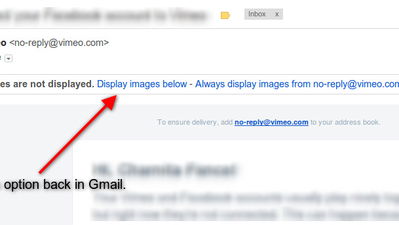
In the past, Gmail has never automatically loaded images in your email, unless you specified that you wanted images from a specific sender to always load. However, for some reason now, Gmail has decided to change that. Instead of being able to choose which senders to load images from, Gmail will now automatically load images from all senders; this is the new default behavior.
If you don’t like this new feature though, you can easily disable it and go back to the way things used to be. Here’s how to disable the always display external images feature.
1. Log into your Gmail account.
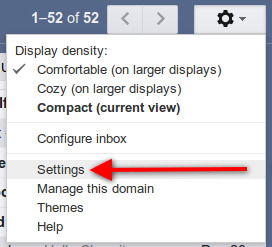
2. Click the gear icon (top right corner) and go to “Settings.”
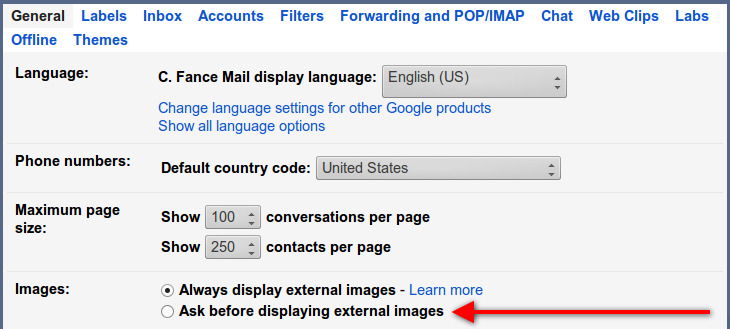
3. Under the “General” tab (you’ll already be there once you click on Settings), look for the “Images” section. Select the box next to “Ask before displaying external images.”
4. Scroll down to the bottom of the page and click on the “Save Changes” button.
That’s it. Now you’re back to the old method of not displaying images in your email messages, unless you choose to. Even though Google is now loading images on their own servers in hopes of better protecting you from spammers and marketers, it’s still pretty annoying to have this on by default. It’s a good thing you can revert back (for now anyway).